Usage
Using the tomoStream
Pre-requisites
Before running tomostream you need to install tomoScan and run the tomoScanStream IOC and the associated python server for your beamline (see tomoScan for details). This provides:
Tomography instrument control
Projection, dark and flat image broadcast as PV access variables
On-demand retake of dark-flat field images
On-demand data capturing
Once tomoScan is installed on the computer connected to the detector:
start area detector, e.g.:
2bmb@tomdet $ cd /net/s2dserv/xorApps/epics/synApps_6_3/ioc/2bmSpinnaker/iocBoot/ioc2bmSP2/softioc/
2bmb@tomdet $ ./2bmSP2.pl run
start tomoScanStream IOC, e.g.:
2bmb@tomdet $  cd ~/epics/synApps/support/tomoscan/iocBoot/iocTomoScanStream_2BMB/
2bmb@tomdet $  ./start_IOC
start the instance of tomoScanStream python server, e.g.:
2bmb@tomdet $  conda activate tomoscan
2bmb@tomdet $  cd ~/epics/synApps/support/tomoscan/iocBoot/iocTomoScanStream_2BMB/
2bmb@tomdet $  python -i start_tomoscan.py
start tomoScanStream user interface, e.g.:
2bmb@tomdet $  cd ~/epics/synApps/support/tomoscan/iocBoot/iocTomoScanStream_2BMB/
2bmb@tomdet $  ./start_medm
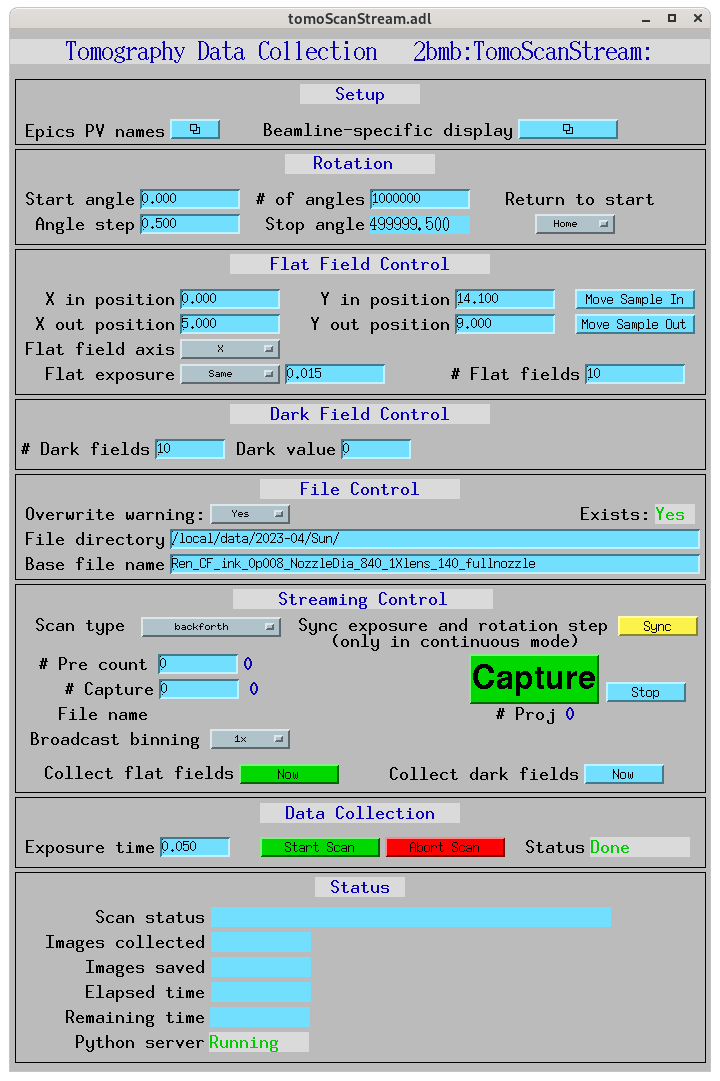
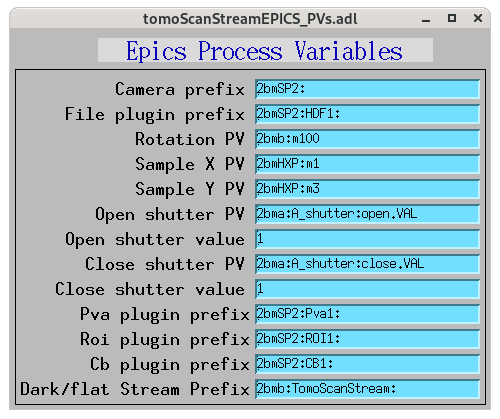
Open the EPICS PV names configuration screen:
All tomoscan_stream_2bm functionalies supporting tomostream can be controlled from the tomoScanStream user interface marked in yellow.
Run tomoStream
start tomoStream IOC, e.g.:
2bmb@tomo1 $  cd ~/epics/synApps/support/tomostream/iocBoot/iocTomoStream_2BM/
2bmb@tomo1 $  ./start_IOC
start the tomostream.py supporting streaming reconstruction, e.g.:
2bmb@tomo1 $  conda activate tomostream
2bmb@tomo1 $  cd ~/epics/synApps/support/tomostream/iocBoot/iocTomoStream_2BM/
2bmb@tomo1 $ python -i start_tomostream.py
start tomoStream user interface, e.g.:
2bmb@tomo1 $  cd ~/epics/synApps/support/tomostream/iocBoot/iocTomoStream_2BM/
2bmb@tomo1$ ./start_medm
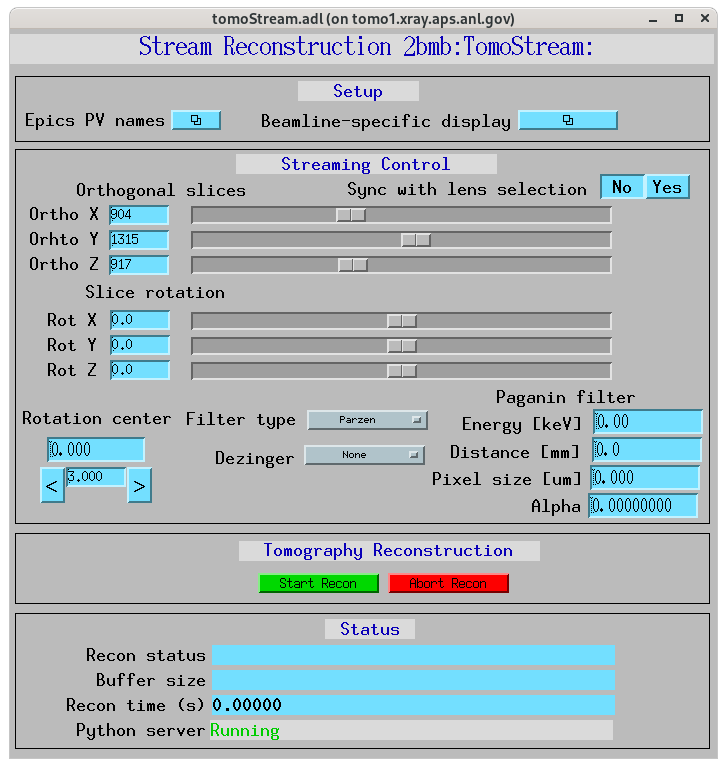
Open the EPICS PV names configuration screen:
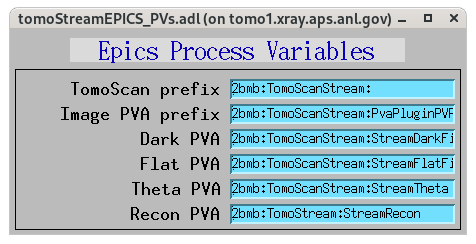
to set the TomoScan prefix and the PVAccess names provided by tomoScan for projection (Image), dark and flat image broadcast. Here also set the Recon PVAccess name where the streaming reconstruction will served. Use the Recon PVAccess name to view the live reconstriction using the EPICS_NTNDA_Viewer ImageJ plug-in:

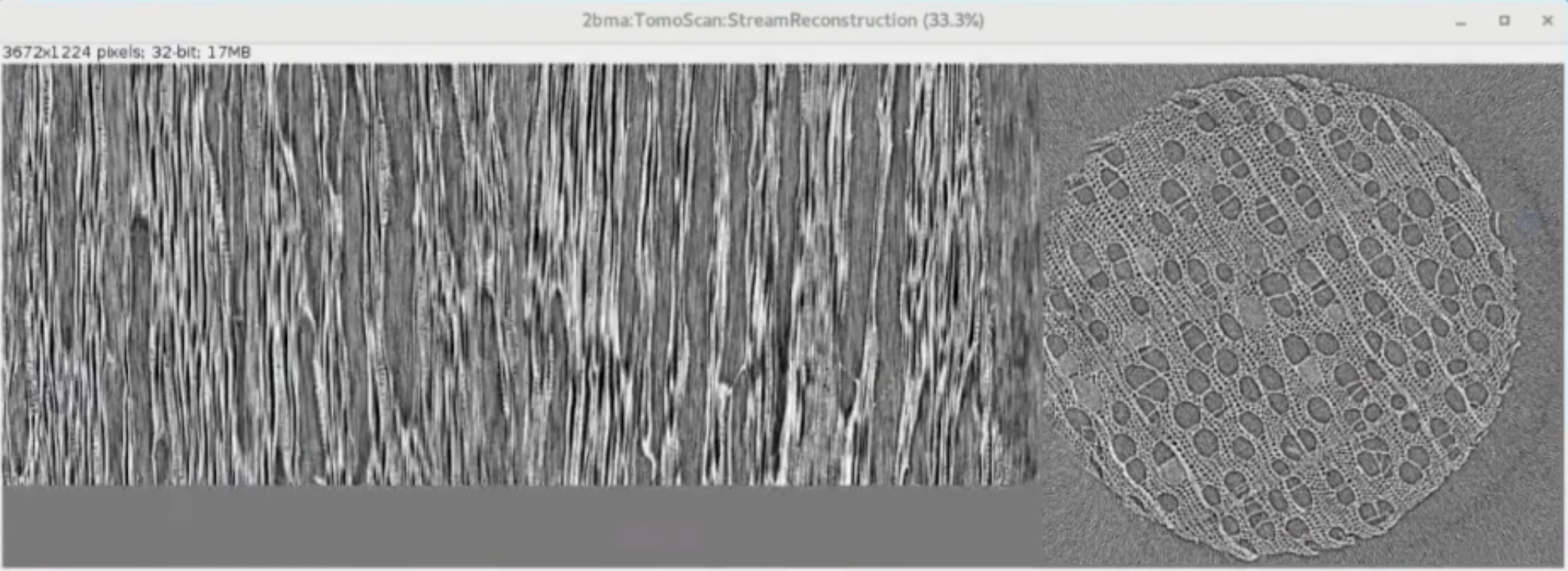
Finally press “Start Scan” in the tomoScan control screen and reconstructions will diplay live in ImageJ: